现在进入 Playground 更容易了:你可以和 Computer 对战。
运作方式
从游戏面板打开 Playground,在玩家列表里找到 Computer 玩家。像邀请其他观众一样邀请它。比赛会自动开始,Playground 的其余流程照旧。
每款 Playground 游戏都提供 Computer 对手:
- 国际象棋,提供 Computer (Beginner)、Computer (Club) 和 Computer (Master),让你选择轻松一点、中等强度或更有挑战的对局。
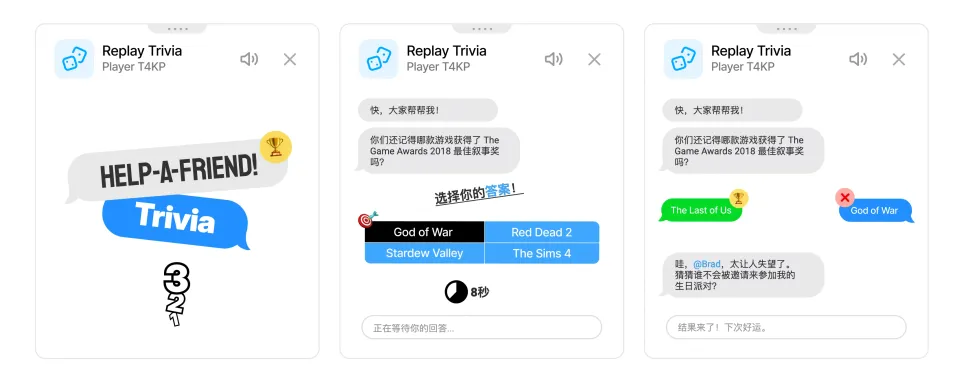
- HELP-A-FRIEND! Trivia、The Wild Wild Chat 和 Stick Around!,即使没有其他人,也能游玩每款游戏。
Computer 的玩法
在国际象棋中,Computer 会稍等一下再走棋,所以对局不会像瞬间回应那样生硬。 国际象棋现在有三个 Computer 对手。Computer (Beginner) 适合热身,Computer (Club) 是更稳的中等强度,Computer (Master) 则是最难的选项。
在 HELP-A-FRIEND! Trivia 中,Computer 会在每轮问题中作答,但并不总是答对。在 The Wild Wild Chat 中,它会留意符合开放赏金条件的消息,并尝试抢先认领。在 Stick Around! 中,它会在场地中移动、躲避落下的聊天气泡,并努力成为最后留在场上的玩家。
为什么添加它?
Playground 在有人一起玩时最有趣,但直播聊天并不总是可预测。安静时段、深夜直播、回放,或者规模较小的社区里,未必总有另一位 Chat Enhancer 用户可邀请。Computer 能让这些时候也有游戏可玩。
 Chat Enhancer
Playground 仍然需要主动开启。在扩展设置中启用 加入 Playground,在聊天中打开游戏面板,想开始对局时邀请 Computer 对手即可。